Turn source material
into usable
work
Syntable takes recordings, PDFs, videos, and text, and turns them into a reading workspace you can review, edit, revisit, and build on.
How it works
Start with source material. Open a usable reading workspace first. Generate more from it when needed.
Add a source
Upload a PDF, paste a YouTube link, record audio, or start from text.
Open a reading workspace
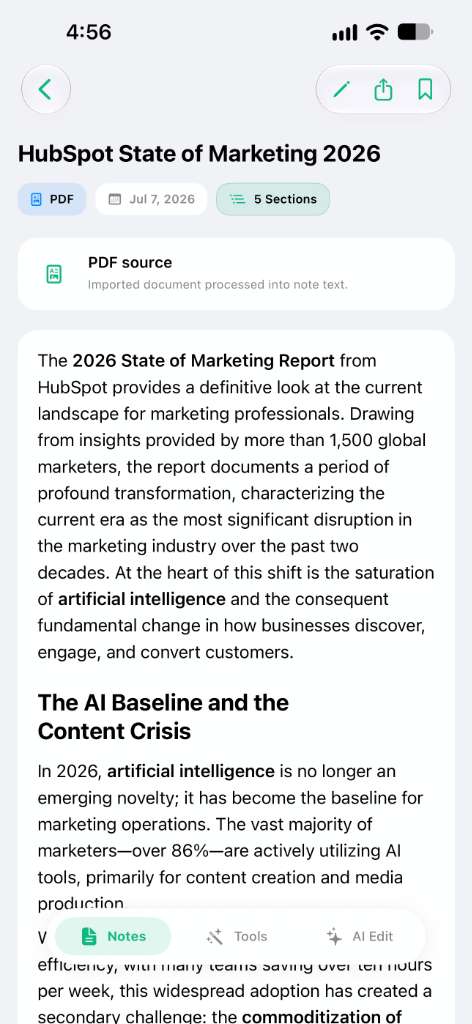
Syntable turns the source into a reading workspace where you can read, review, copy, edit, and keep working with the content.
Section 03
Superposition and state vectors
The principle of superposition states that any two or more quantum states can be added together to yield another valid quantum state.
Mathematically, it refers to a property of solutions to the Schrödinger equation; since the equation is linear, any linear combination of solutions will also be a solution.
This means that a physical system—such as an electron—exists partly in all its particular theoretically possible states simultaneously before it is measured.
Generate from the reading workspace
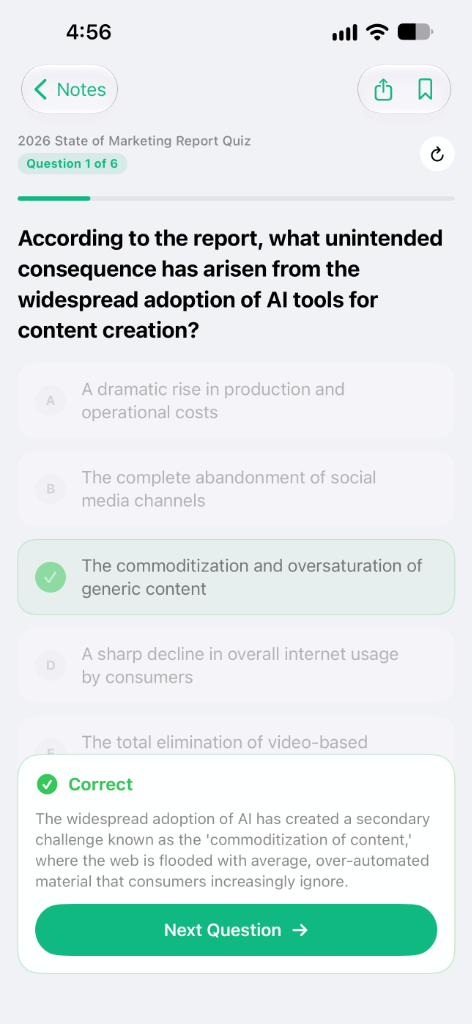
Create summaries, quizzes, flashcards, and written outputs from the same reading workspace when you need them.
Quantum Physics
Study your main concepts
What does mathematical superposition refer to?
Export the result
Take your work out as PDF, EPUB, TXT, or DOCX.
Preview
Physics notes
Chapter 3 explores the core tenets of quantum mechanics...
Start with a reading workspace you can use
Every source becomes a reading workspace you can review, edit, revisit, and use as the base for everything that comes next.
Readable
Open the content in a format you can actually work with instead of going back to the raw source.
Editable
Adjust, refine, or update the material before generating anything else from it.
Reusable
Use the same reading workspace as the base for studying, writing, or exporting later.
Persistent
Come back to the same reading workspace instead of starting over from the source each time.
Generate what you need from the reading workspace
Once the reading workspace is ready, you can turn it into different formats depending on the task.
Get the core ideas in a shorter, clearer format.
Turn dense material into review cards.
Check what you understood and what still needs work.
Reuse the same reading workspace as a structured draft or article.
Keep the result in a format you can use
Export your work in the format that fits what comes next.
for reading and sharing
for long-form reading
for plain text portability
for editing and collaboration
Read it, share it, edit it, or keep working on it outside Syntable.
Useful across different kinds of work
Study from lectures and reading
Turn source material into a reading workspace you can review, then generate summaries, quizzes, and review cards from it.
Review meetings and recorded conversations
Keep recordings in a reading workspace you can revisit later, then extract what you need from the same place.
Write from source material
Start from a video, transcript, or document, work from the reading workspace, and turn it into a structured draft.
Simple pricing for trying it free or using it fully
Start with a limited free plan, or move to Pro for the complete workflow and more consistent daily use.
Free
For trying the product before moving into regular use.
Start free- ✓ Unlimited manual notes
- ✓ Limited AI tools
- ✓ Limited source processing
- ✓ Basic reading workspace access
- ✓ Limited summaries, flashcards, and quizzes
- ✓ Export in PDF, EPUB, TXT, and DOCX
- • 1 YouTube video / day
- • 10 PDFs / day
- • 3 audio uploads or recordings / week
- • 50 chat messages / day
Pro
For daily use with the full workflow in one plan.
Get Pro- ✓ Upload from every supported source type
- ✓ Use the full reading workspace workflow
- ✓ Generate summaries, flashcards, and quizzes without free-plan bottlenecks
- ✓ Chat with your content as part of the regular workflow
- ✓ Export in every available format
- ✓ Built for regular study, review, and writing
For institutions
If you need access for a university, cohort, academy, or student group, we can offer a custom setup for multi-user access and volume pricing.
Get Started- ▪ Volume-based access
- ▪ Student or team rollouts
- ▪ Custom agreements when needed
- ▪ Flexible seat planning
Frequently
asked
questions
What is Syntable and how does it help with my study or work notes?
Can I turn a YouTube video into notes or study materials?
How do I extract summaries and flashcards from PDF documents?
What other types of files and sources are supported?
What kind of learning materials can I generate from my workspace?
Can I edit the generated materials before exporting them?
What file formats are available for exporting my work?
Is there a free plan available to try the app?
What are the benefits and limits of the Syntable Pro subscription?
Is Syntable built only for studying or can it be used for professional work?
Does Syntable offer volume pricing or team access for institutions?
How does the AI Chat feature work within the reading workspace?
Start using Syntable
Start with a source. Keep building from the reading workspace.